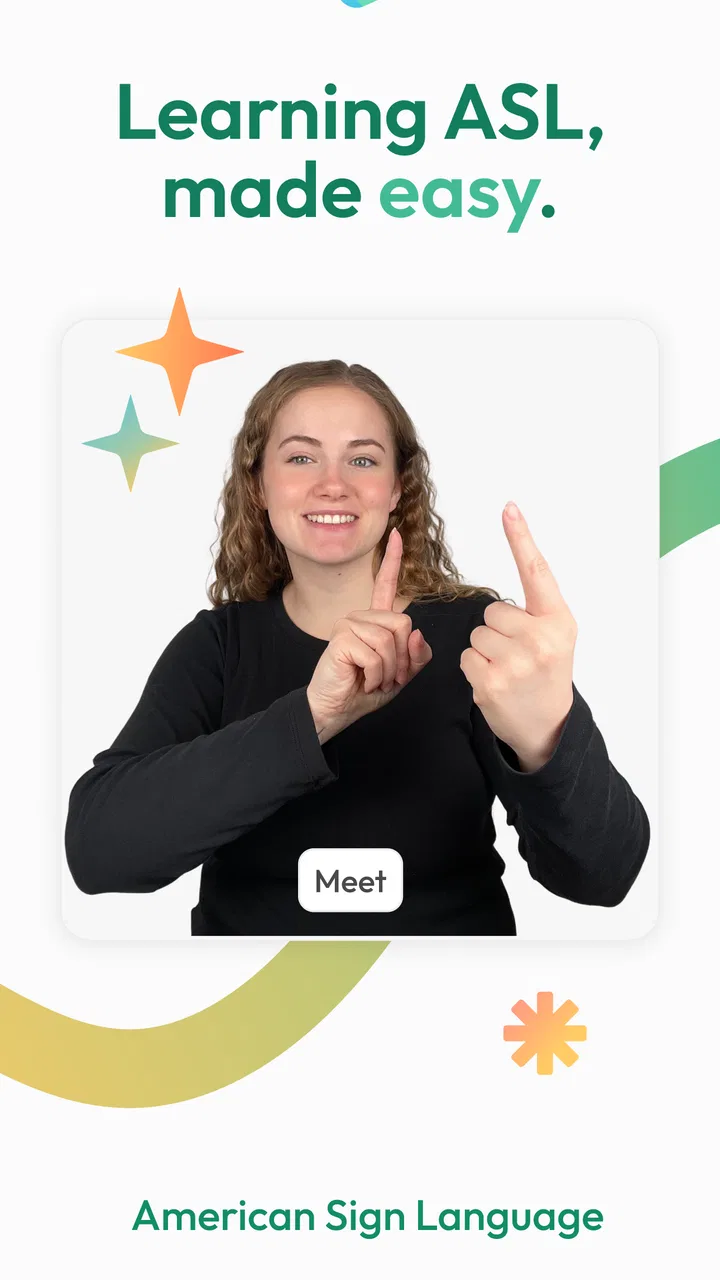
ASL Bloom - Sign Language
- 4.8
- Rating
- 500.00K
- Installs
- Free
- Price

 Analysis by App-foxy
I found ASL Bloom most useful when I treated it as a small, repeatable learning tool rather than a complete replacement for a class. It is an education app from SignLab for studying American Sign Language, and the free entry point makes it easy to try without turning the first session into a financial decision. I used it in short bursts, especially when I had a few quiet minutes at home, and that format suited the subject well: learning a sign, checking it again, and returning later feels more realistic than expecting one long session to create lasting fluency.
The app has a 4.7 average from around 14 thousand ratings, with more than 500 thousand installs. Those figures suggest that it has reached a substantial audience, but they are not a substitute for deciding whether its teaching style fits you. ASL is visual, physical, and cultural, so an app can help with vocabulary and routine while still leaving important parts of communication to practice with people. My overall impression is positive, provided you understand that distinction from the beginning.
Sharing a learning session at home
The most natural household scenario is simple: one person opens the app while another family member is nearby, and both learn a handful of signs together. That works better than passing a phone around without a plan. A parent and child might choose a small theme for the evening, while siblings could take turns watching and attempting the same signs. The shared screen gives the activity a social purpose instead of making it feel like isolated memorization.
You May Also Like

 Blood Strike: 2.5 Anniversary
Blood Strike’s Loadouts Turn Every Drop Into a Tactical Gamble
A close look at Blood Strike’s custom loadouts: how fast access to signature weapons reshapes its battle royale rhythm, rewards preparation, and narrows the gap between fights.

 Pandora - Music & Podcasts
Pandora’s Music Is Easy to Start, but Harder to Recover
Pandora’s strength is its low-effort path from a seed to a station. Its weak spot is how much confidence it asks you to place in connection, setup, and quiet recovery.

 8 Ball Pool
 Is Built on Rivalries, Rematches, and Routine
A close look at the rivalries, rematches, shared routines, and unanswered safety questions that turn a quick pool match into a persistent mobile community.

 Samsung Music
’s Quiet Strength Is Playing What You Already Own
Its reach comes less from spectacle than from dependable access to a personal library. That simplicity is both the app’s strongest retention engine and its ceiling.

 AccuWeather: Weather Radar
AccuWeather Review: A Quick, Clear Forecast for Everyday Decisions
For everyday plans, the best forecast is the one you can understand quickly. AccuWeather makes rain timing, radar, and local conditions easy to act on, with a few trade-offs.

 Hill Climb Racing
Why Hill Climb Racing Still Turns Crashes Into One More Run
A tiny car, a bumpy hill and one more upgrade: Hill Climb Racing keeps resurfacing because its simple chaos makes every near-miss feel personal.
More From Our News Desk



I would not treat one device as proof that everyone has the same progress. A shared phone or tablet can display the lesson, but it does not automatically create separate learning histories. If several people use the same device, agree on whose turn it is and keep a simple note of the last topic each person practiced. That small habit prevents the common household problem of opening the app and forgetting whether a lesson was completed by one person or another.
There is also a useful division of roles. One person can study the sign on screen, another can watch the handshape and movement, and then they can switch. This is especially helpful for beginners who are unsure whether their own movement looks close to the example. It is not a formal assessment, but a second pair of eyes can catch hesitation, reversed movement, or an unclear hand position that is difficult to notice alone.
For a family with a Deaf or hard-of-hearing member, the app can be a starting point for showing effort, but it should not become the household’s only communication plan. Learning a few signs is valuable, yet real conversations require patience, shared conventions, and respect for the person who already uses ASL. I would use the app to support that relationship, not to put the burden of teaching entirely on the Deaf family member or to assume that a beginner’s vocabulary is enough.
Setting up a shared device without confusing progress
ASL Bloom is free to start, which lowers the barrier for a household that wants to test it before committing. The app is listed for everyone, and it runs on Android devices using at least version 7.0. That makes it approachable for many older phones and tablets, although the experience will still depend on the particular screen and camera-free viewing setup you use. A larger display is more comfortable for watching hand movements when two people are looking together.
Before sharing the device, I recommend deciding who the primary learner is for the first week. This sounds minor, but it avoids a vague routine where several people open the app, browse briefly, and nobody builds momentum. If the device belongs to a child, a parent can set a regular time for practice without presenting the app as a test. If it belongs to an adult, the same approach works with a short reminder and a clearly chosen topic.
Keep expectations separate from payment decisions. The app is free, while in-app purchases range from about nineteen dollars to about ninety-nine dollars per item. I would explore the free experience first and discuss any purchase openly when a device is shared, especially if children can access it. A household should know which person is deciding whether an upgrade is worthwhile, rather than letting a curious tap turn into an accidental commitment.
Another practical boundary is physical space. A learner needs enough room to reproduce signs without bumping into furniture or holding the phone at an awkward angle. Place the device where both people can see it, but do not let the screen position force the learner to twist their wrists or hide their hands. For a solo session, I found it easier to keep the phone stable and focus on the visual example instead of holding it while practicing.
Coordinating practice between adults and children
Children can enjoy the immediacy of visual learning, but adults should guide the routine rather than assume that enthusiasm equals understanding. I would begin with a short session and ask the child to demonstrate a few signs afterward in a relaxed way. The goal is not to grade them; it is to discover whether they remember the handshape, movement, and meaning together. If they remember only the appearance, return to the example instead of rushing ahead.
Adults learning alongside children should resist turning every practice moment into correction. A better method is to choose one detail at a time. First check whether the sign is being made with the correct handshape, then look at direction or movement. Too many corrections can make a beginner self-conscious, particularly when the learner is still getting used to watching their own hands.
A useful household routine is a “show and explain” round. One person chooses a recently studied sign, demonstrates it, and explains what it means without asking the others to guess every time. Another round can involve a simple everyday situation, such as greeting someone, identifying a family member, or naming an object in the room. This turns vocabulary into a memory cue and reveals which signs are actually usable outside the app.
For adults with busy schedules, coordination matters more than duration. I would rather see a family practice briefly several times across a week than attempt a long session that becomes a chore. The app fits this approach because it is easy to open for a focused review, but the household still needs to decide what “done” means. One lesson viewed once is exposure; being able to reproduce and recognize it later is more meaningful progress.
Shared use can also expose different learning speeds. One person may want repetition while another wants new material. Instead of forcing everyone through the same path, let the more confident learner demonstrate while the beginner repeats the example. If the app is being used on one device, take turns rather than allowing the faster learner to control the entire session. That keeps the activity cooperative instead of quietly becoming a competition.
What the app does well for beginners
My strongest impression is that ASL Bloom makes the first step feel manageable. The focus is clear: learning American Sign Language through an app rather than wandering through unrelated language exercises. That clarity helps someone who has been meaning to start but does not know how to organize the first few sessions.
The visual nature of sign language also makes this kind of tool more appropriate than a text-only flashcard system. Written translations can tell you what a sign means, but they cannot show the shape and motion that make the sign recognizable. I still needed to pay close attention, yet seeing the example directly was more useful than trying to infer movement from a written description.
I found the app particularly suitable for three kinds of learners. The first is a complete beginner who wants a gentle introduction before joining a class. The second is someone who has learned signs informally and needs a structured way to revisit them. The third is a family member who wants to make a sincere start in communicating with a Deaf relative or friend.
It can also serve as a preparation tool. Before attending a community event, meeting an ASL user, or beginning a course, a learner could use it to become familiar with the idea that signs must be watched carefully and practiced physically. That preparation may reduce the intimidation of starting from zero, though it should not be mistaken for cultural or conversational fluency.
The app’s broad audience is reflected in its Everyone content rating, but that does not mean every learning situation is identical. A young child may need an adult to explain meanings and keep practice respectful. An adult learner may prefer a faster pace or more context than the app provides. The rating describes suitability at a general level; it does not remove the need for supervision, encouragement, or realistic expectations.
Where it differs from classes, videos, and flashcards
Compared with a classroom, the app is more convenient and less socially demanding. I can practice privately and repeat a visual example without worrying about slowing down a group. That is a real advantage for someone who feels nervous about making mistakes. The trade-off is that an app cannot fully recreate live interaction, immediate correction, or the experience of following a natural conversation.
Compared with random online videos, a dedicated learning app gives the activity a clearer home. Videos can be excellent, but they often require searching, choosing a reliable instructor, and remembering where you stopped. ASL Bloom is more suitable when I want to open one place and continue practicing without building my own collection of clips. A carefully taught course may still be better for learners who need detailed feedback or a planned curriculum.
Compared with ordinary flashcards, the app has a stronger visual connection to the physical act of signing. Flashcards are convenient for recognizing a word or testing memory, but they can encourage learners to think of ASL as a list of English equivalents. I would use flashcards as a supplement for recall, not as my main tool for learning movement and expression.
The important limitation is that no one should use the app as a shortcut to claiming fluency. Knowing isolated signs is not the same as understanding grammar, facial expression, turn-taking, regional variation, or Deaf culture. If your goal is employment that requires advanced ASL, interpreting, or comfortable conversation, a class, tutor, or regular interaction with experienced signers is a better next step. The app can support that path, but it cannot carry the whole path by itself.
Age, trust, and responsible use
Because the app is aimed at everyone, I would feel comfortable introducing it as a shared educational activity, but I would still keep the conversation age-appropriate. Children should understand that signs are part of a real language used by real people, not merely gestures for entertainment. Adults can help by connecting practice to respectful communication rather than asking a child to perform signs for strangers on demand.
Trust also matters when a household shares a device. A child may assume that every visible option is intended for immediate use, while a parent may assume the child knows which parts are free. Since purchases are available inside the app, I would make the boundary explicit before handing over the device. The safest routine is to let an adult handle purchase decisions and to explain that trying the free material comes first.
For teenagers and adults, privacy is less about the subject matter and more about account and device habits. If several people use the same phone, do not assume that one person’s progress represents everyone’s learning. Keep personal notes separately if individual goals matter. If the app is being used by a family member who needs ASL for communication, discuss that purpose directly rather than treating the learning record as a measure of how supportive someone is.
I also recommend being careful with confidence. A beginner who remembers a sign may feel ready to use it in every situation, but context can change meaning and appropriateness. Use the app to build curiosity and basic ability, then seek guidance from Deaf educators or experienced ASL users when the goal becomes deeper communication. That is not a criticism of SignLab; it is a sensible boundary for any introductory language app.
Version, cost, and the everyday decision
The current version is 1.36.38, and the app was released on June 30, 2022. I mention this because a household choosing an educational tool often wants something established enough to try while still checking whether it works comfortably on the device available. The minimum operating system of Android 7.0 is helpful for people using an older Android phone, though the practical test remains simple: install it, view the lessons, and see whether the screen is clear for the intended learner.
The free price is the strongest reason to begin with a trial session rather than debating the app in the abstract. If one person in the household practices consistently and finds the teaching approach useful, a paid item may become easier to evaluate. I would not purchase for several family members at once without first checking whether the routine survives the novelty of the first few days. Consistent use is more important than owning every available learning option.
One non-obvious trade-off is that a shared device makes the app more economical but less personal. A tablet in a living room can turn learning into a family activity, yet it may be unavailable when one person wants a private review. A personal phone offers convenience but can make the experience solitary and easier to interrupt. Choose the device according to the learning goal: shared practice benefits from a larger screen, while quiet repetition benefits from immediate access.
Another useful tactic is to pair every app session with a real-world reminder. After studying a sign, place its meaning into a note or connect it to an object and situation at home. Later, try to recall it without opening the app. This exposes whether you learned the sign or merely recognized the screen. It also prevents the household from confusing time spent browsing with actual retention.
My household verdict
I recommend ASL Bloom for beginners who want an approachable way to start learning ASL and for households that can turn short practice sessions into a shared routine. SignLab has made the app easy to try, and the free entry point is valuable when several people are deciding whether they will genuinely use it. Its Everyone rating also makes it a reasonable candidate for family learning, as long as an adult sets sensible boundaries around purchases, device access, and expectations.
I would skip it as a primary solution if you need live correction, advanced conversation, formal certification, or a complete substitute for contact with ASL users. I would also hesitate if your household tends to install educational apps enthusiastically and abandon them after one session. In that case, a scheduled class or a regular conversation partner may create stronger accountability.
For everyone else, my advice is to start with one learner, one device, and one modest practice goal. Once that routine feels natural, invite another household member to join and compare what each person remembers. The best use of ASL Bloom is not passive viewing; it is repeated, respectful practice that leads away from the screen and toward real communication. Used with that mindset, this education app is a worthwhile first step rather than an exaggerated promise of instant fluency.
FAQs for ASL Bloom - Sign Language
01What is ASL Bloom and how does it work?
ASL Bloom is an educational app designed to teach American Sign Language (ASL) through interactive lessons and exercises. It offers a variety of features including video tutorials, quizzes, and practice sessions to help users learn and practice ASL at their own pace. The app is suitable for beginners and those looking to improve their ASL skills.
02Is ASL Bloom suitable for beginners?
Yes, ASL Bloom is designed to accommodate all levels of learners, including beginners. The app provides step-by-step lessons starting with the basics of ASL. Users can gradually progress to more complex signs and phrases, ensuring a comprehensive understanding of the language over time.
03Does ASL Bloom require an internet connection?
ASL Bloom typically requires an internet connection to access its full range of features, including video tutorials and updates. However, some lessons and exercises may be available offline depending on the app's settings and your device's storage capacity. Check the app's options for offline accessibility.
04Are there in-app purchases or subscription fees in ASL Bloom?
ASL Bloom may offer free basic lessons, but it usually includes in-app purchases or subscription options for advanced features and content. Users should review the app's pricing details on the download page to understand any potential costs before proceeding with a purchase or subscription.
05What devices and operating systems support ASL Bloom?
ASL Bloom is available on both Android and iOS platforms. It supports a wide range of devices, including smartphones and tablets. Ensure that your device meets the minimum system requirements specified on the app's download page to ensure optimal performance and user experience.
Pros
- User-friendly interface for easy navigation.
- Comprehensive lessons for all skill levels.
- Interactive quizzes enhance learning retention.
- Offline access for on-the-go practice.
- Regular updates with new content and features.
Cons
- Limited free content; full access requires subscription.
- Some advanced features need improvement.
- Occasional app crashes reported by users.
- No speech recognition for practice feedback.
- Requires significant storage space on devices.

ASL Bloom - Sign Language
Gallery